
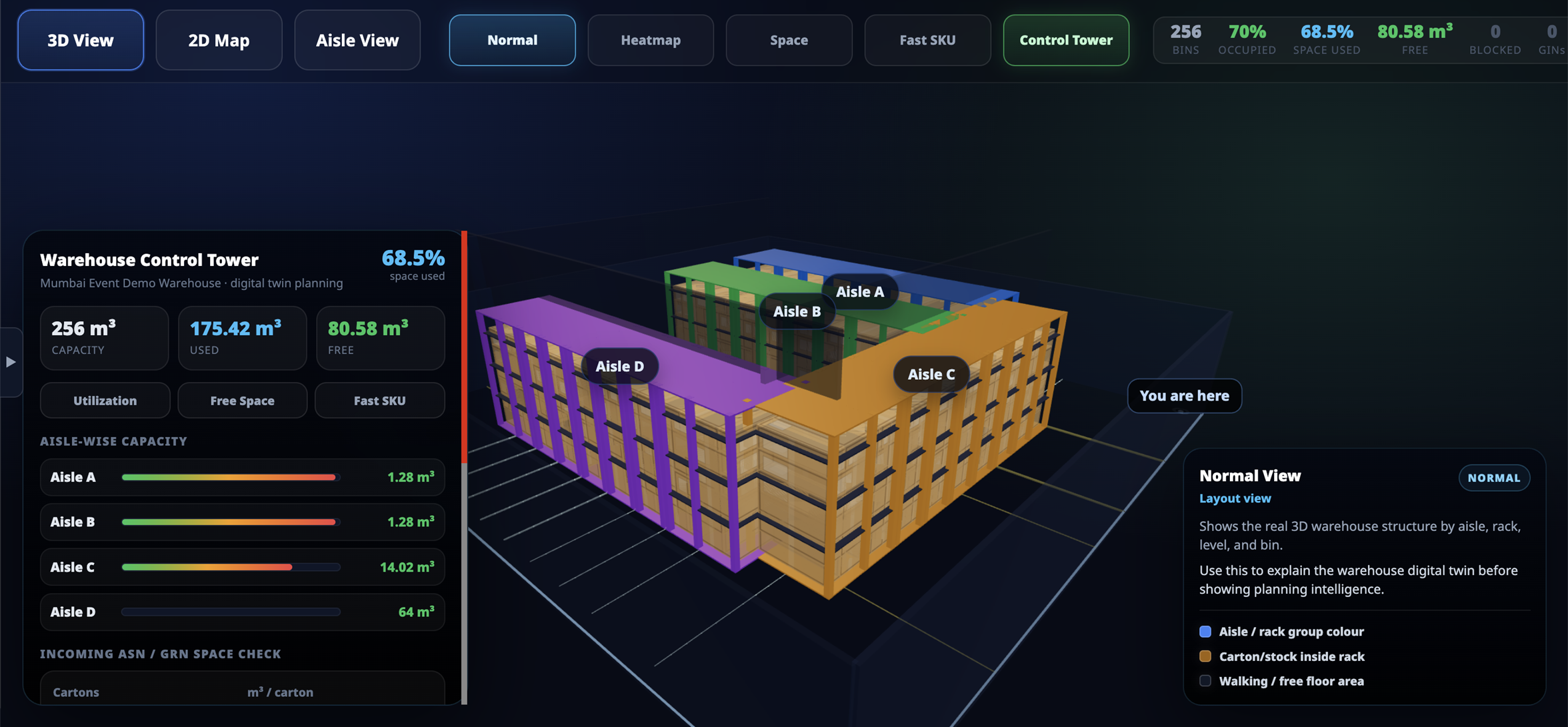
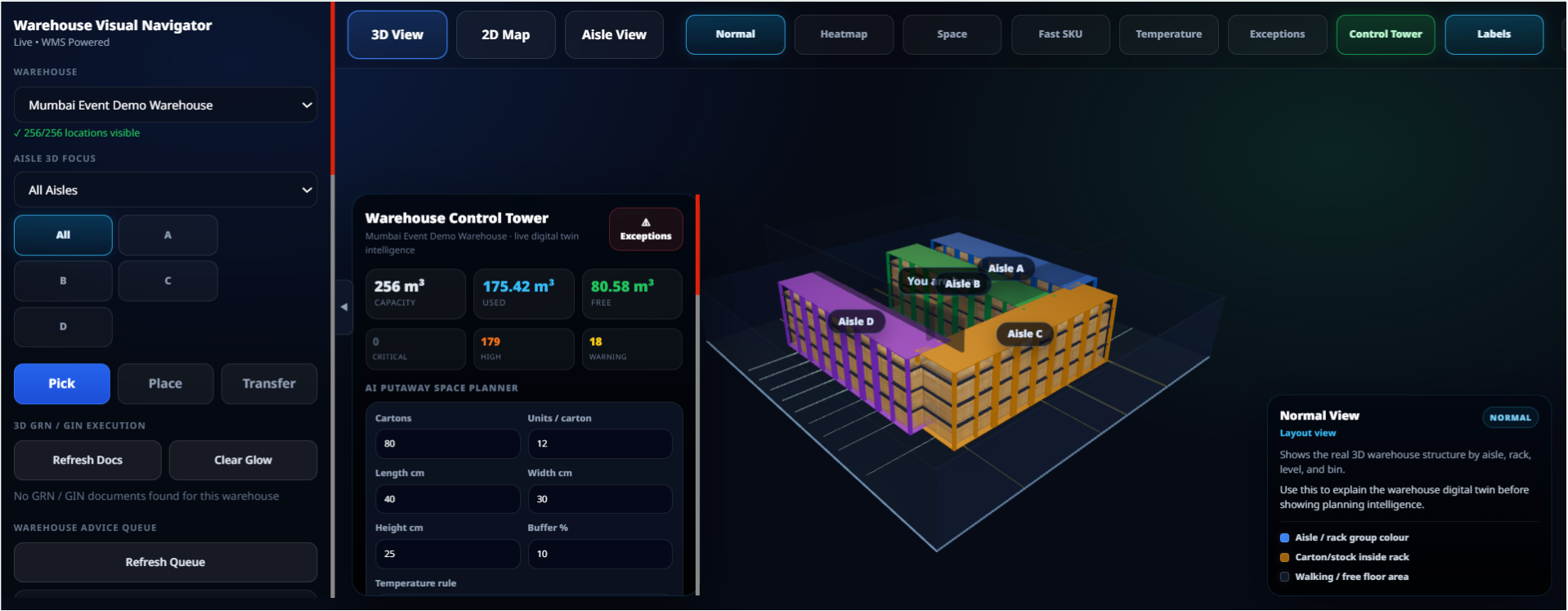
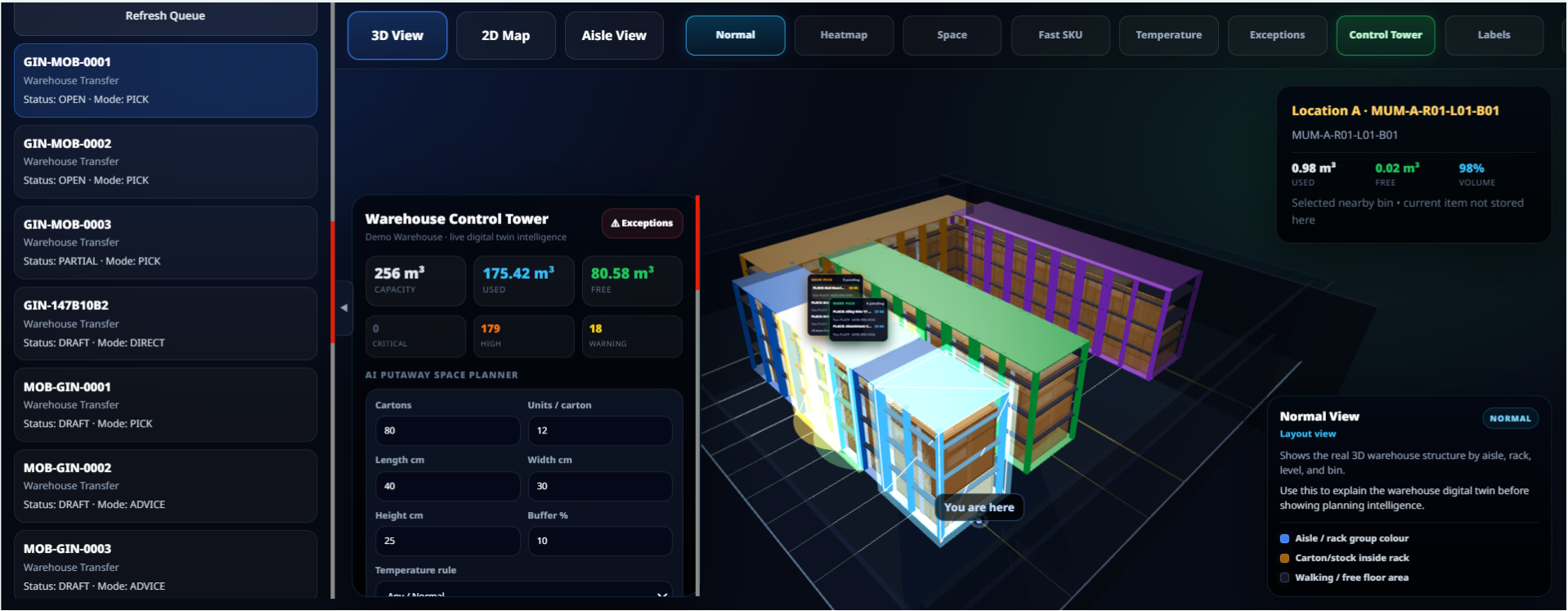
Digital Twin View
See your complete warehouse layout in one live 3D screen.
Visualize aisles, racks, levels, and bin locations
Key features include:
- View occupied, empty, and blocked locations
- Track stock, reserved quantity, and available quantity
Turn warehouse data into a live visual control tower for faster decision-making.
Space Utilization
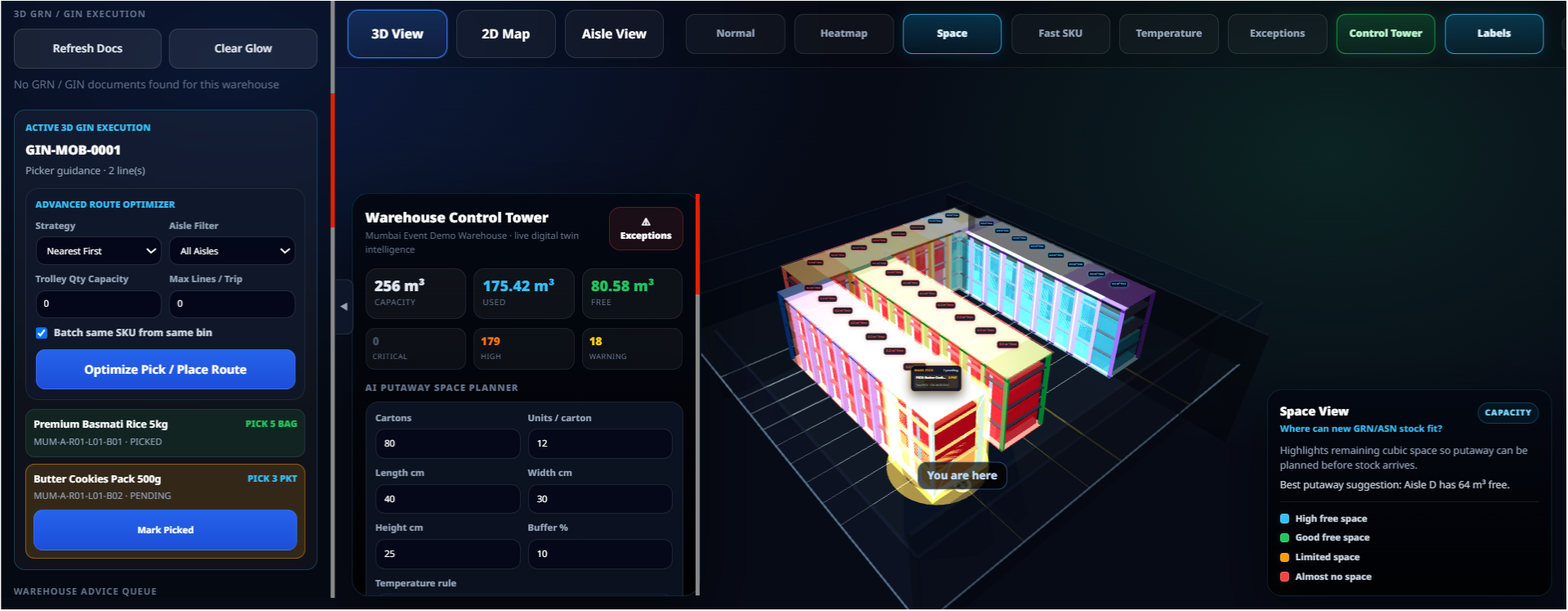
Know exactly how much warehouse space is used and available.
Track total, used, and free warehouse capacity
Key features include:
- View bin-level and aisle-wise space utilization
- Identify dead space and blocked storage areas
Plan storage better before renting extra space or expanding your warehouse.
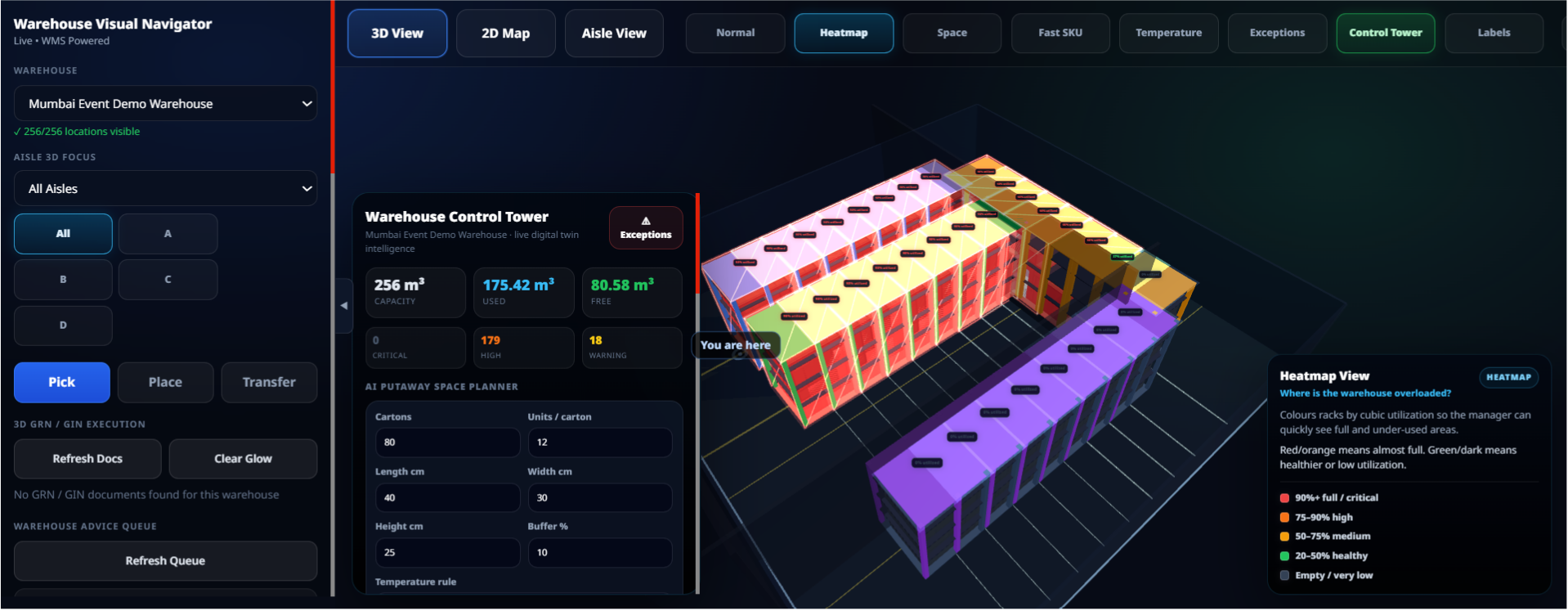
Heatmap View
Identify overloaded and underutilized warehouse areas instantly.
Red, orange, yellow, green, and dark utilization indicators
Key features include:
- Spot full aisles, free racks, and low-usage zones
- Improve storage planning with color-based visibility
Quickly understand where stock is overloaded and where space is still available.
Smart GRN & Putaway Planning
Plan incoming stock placement before the truck arrives.
Suggest putaway based on volume, weight, and empty bins
Key features include:
- Consider pickface, reserve, and same-item nearby locations
- Reduce wrong putaway and unnecessary warehouse movement
Store incoming stock in the right location using real-time space availability.
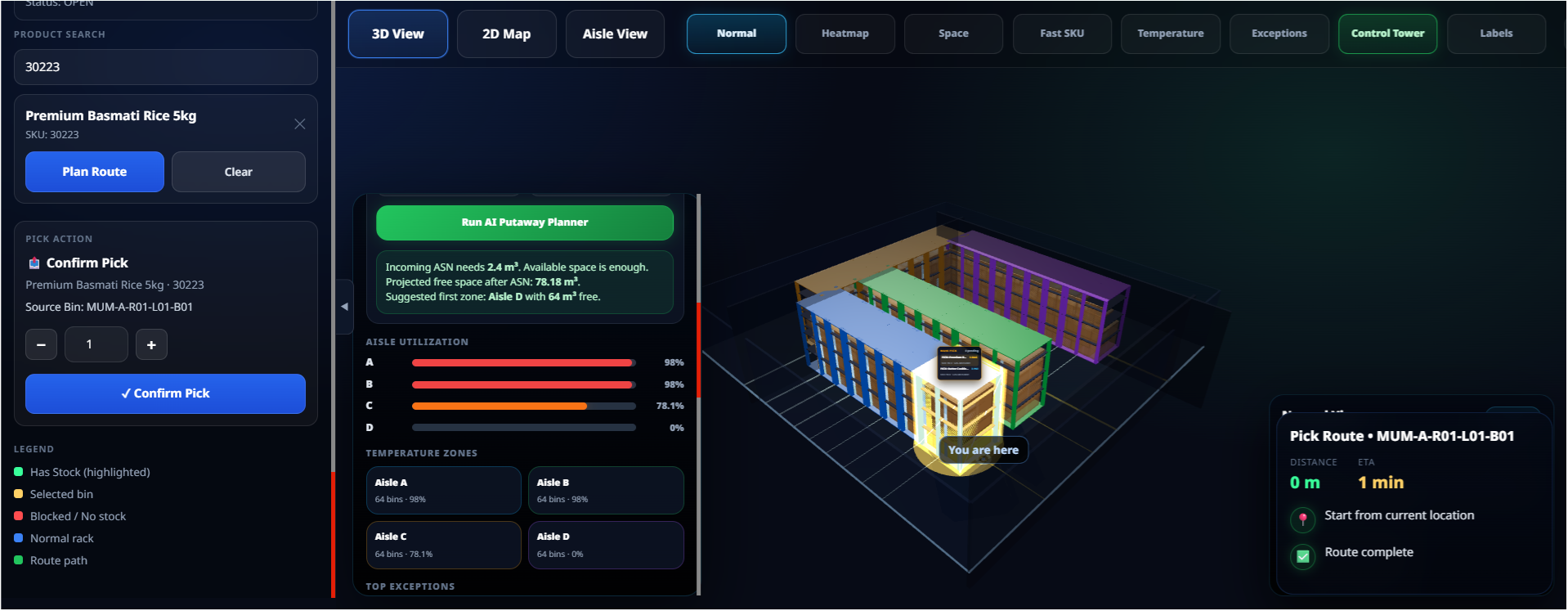
Visual Pick Route Planning
Guide warehouse users to the right bin with a visual pick path.
Show source bin, pick location, and route path
Key features include:
- Support multi-bin pick stops and travel visibility
- Reduce picker confusion and walking time
Improve picking speed and execution accuracy with visual warehouse navigation.